Back to Help Center
Setup
Install on Android
WorkWalaa is a web app. No Play Store needed. Add it to your home screen from Chrome in a few taps.
Easiest way
1
Tap the Download App button
Open workwalaa.com in Chrome and tap the yellow Download App button. In most cases this installs WorkWalaa in one tap.
Click this button first
Installed? You are done. WorkWalaa is now on your home screen and always loads the latest version automatically.
If that did not work
1
Open Chrome and tap the menu
Go to workwalaa.com in Chrome, then tap the three-dot menu in the top right corner.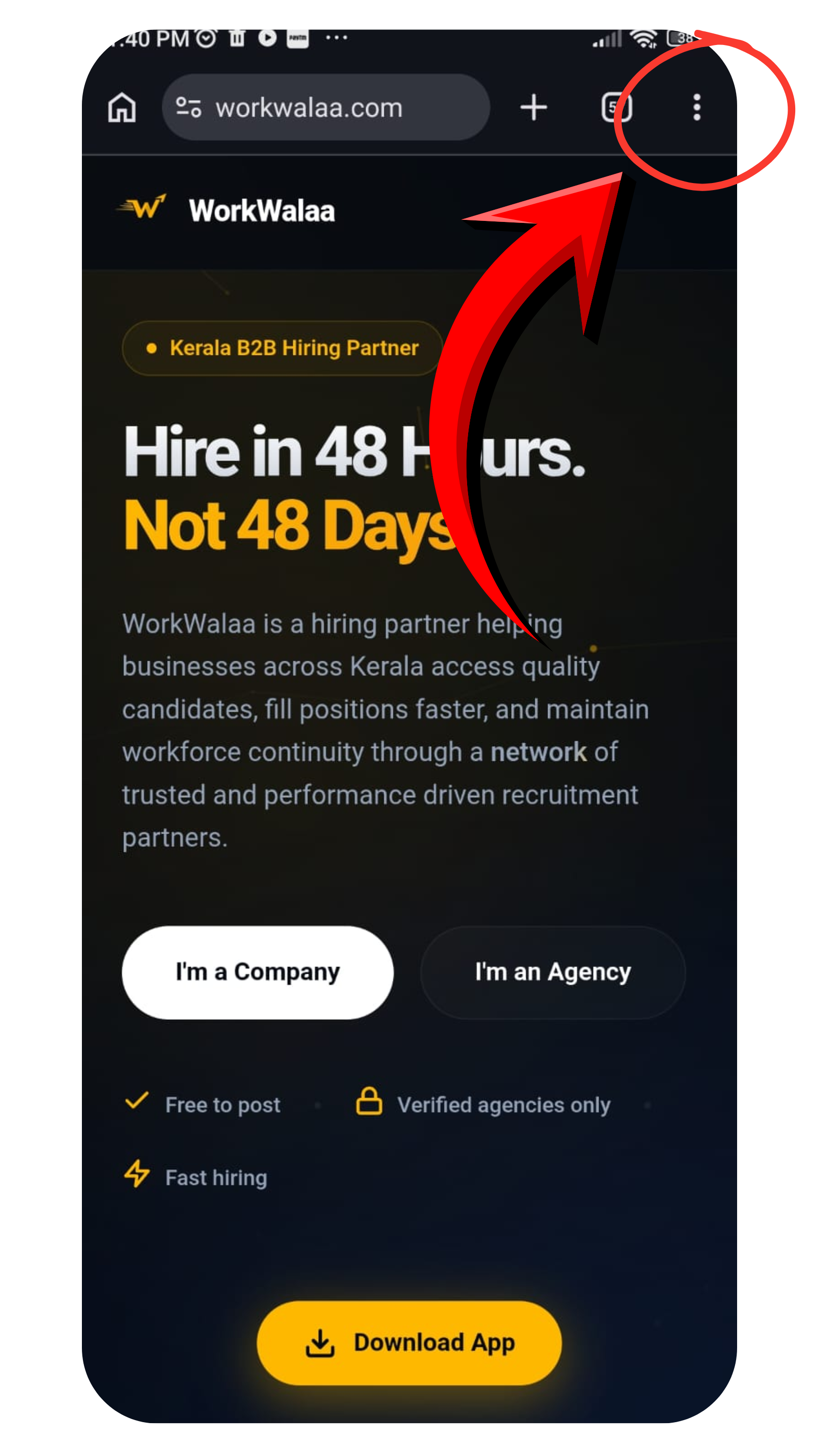
Tap the three-dot menu in Chrome
2
Tap Add to home screen
In the menu, tap Add to home screen.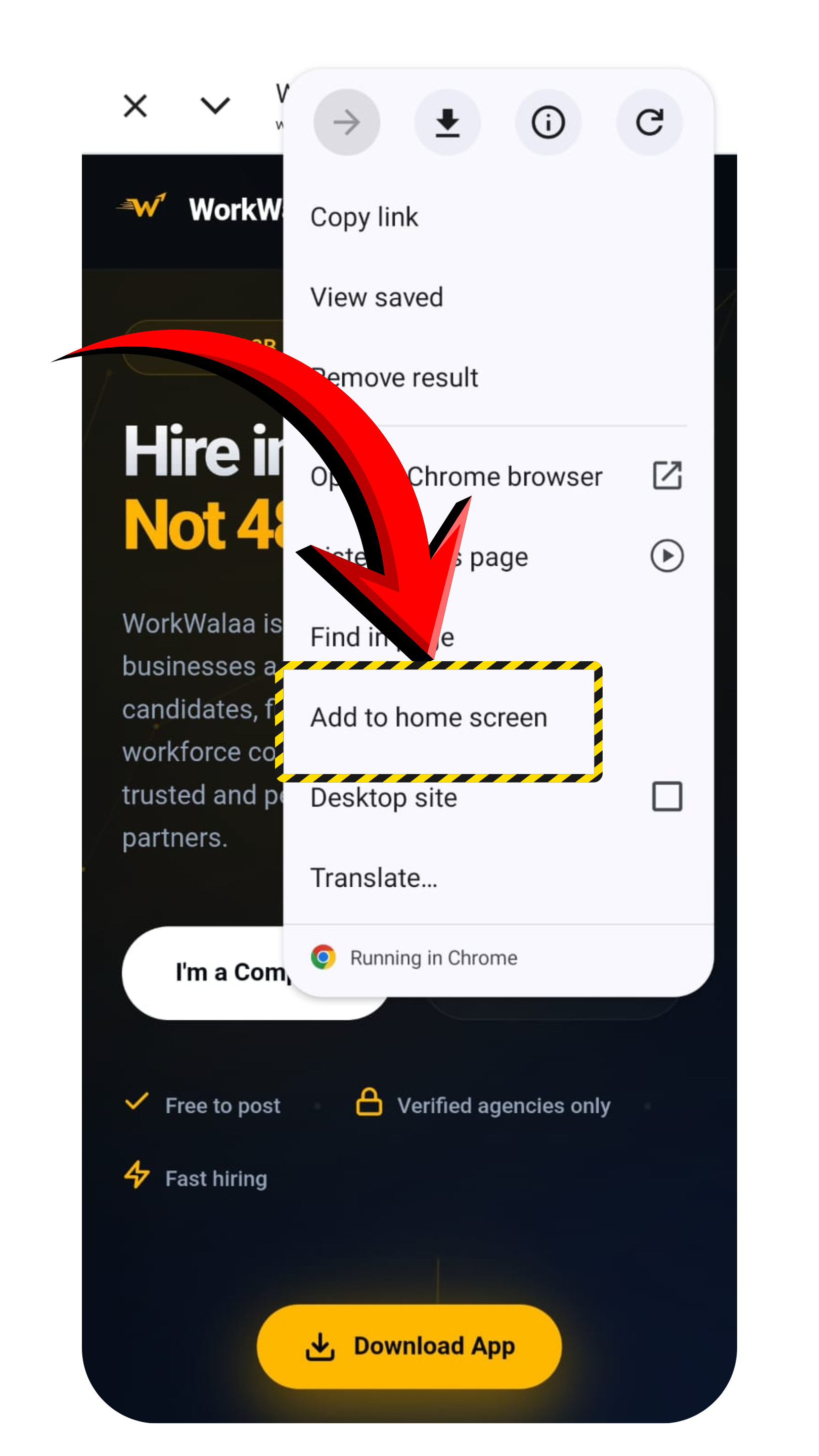
Tap Add to home screen
3
Tap Install
An Install app dialog appears with the WorkWalaa icon. Tap Install.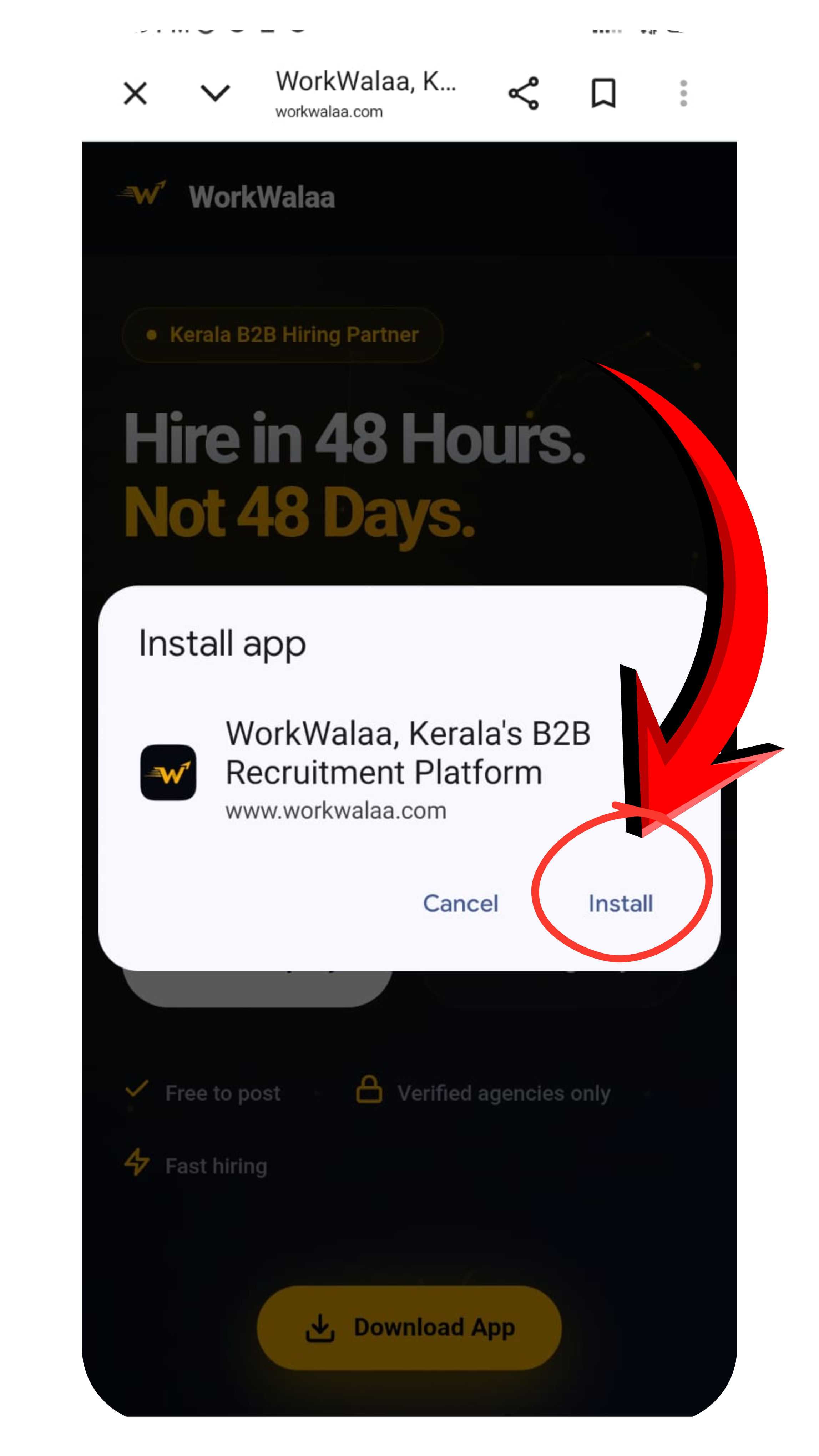
Tap Install to confirm
Done. WorkWalaa is now on your home screen. It always loads the latest version automatically. No updates needed.
Troubleshooting
I do not see Add to home screen+
Make sure you are in Chrome. Tap the three-dot menu again and look for "Add to home screen" or "Install app".
I am using a different browser+
Chrome gives the best experience. On other browsers, look for "Add to Home Screen" in the browser menu.
Need more help? WhatsApp us at +91 81568 01024 · Mon to Sat, 10 AM to 7 PM IST.