WorkWalaa is a web app. No App Store needed. Install it from Safari in under a minute.
Safari only on iPhone. Chrome on iOS cannot install web apps.
Steps
1
Open Safari and go to workwalaa.com
Type workwalaa.com into the Safari address bar and open the site.WorkWalaa homepage in Safari
2
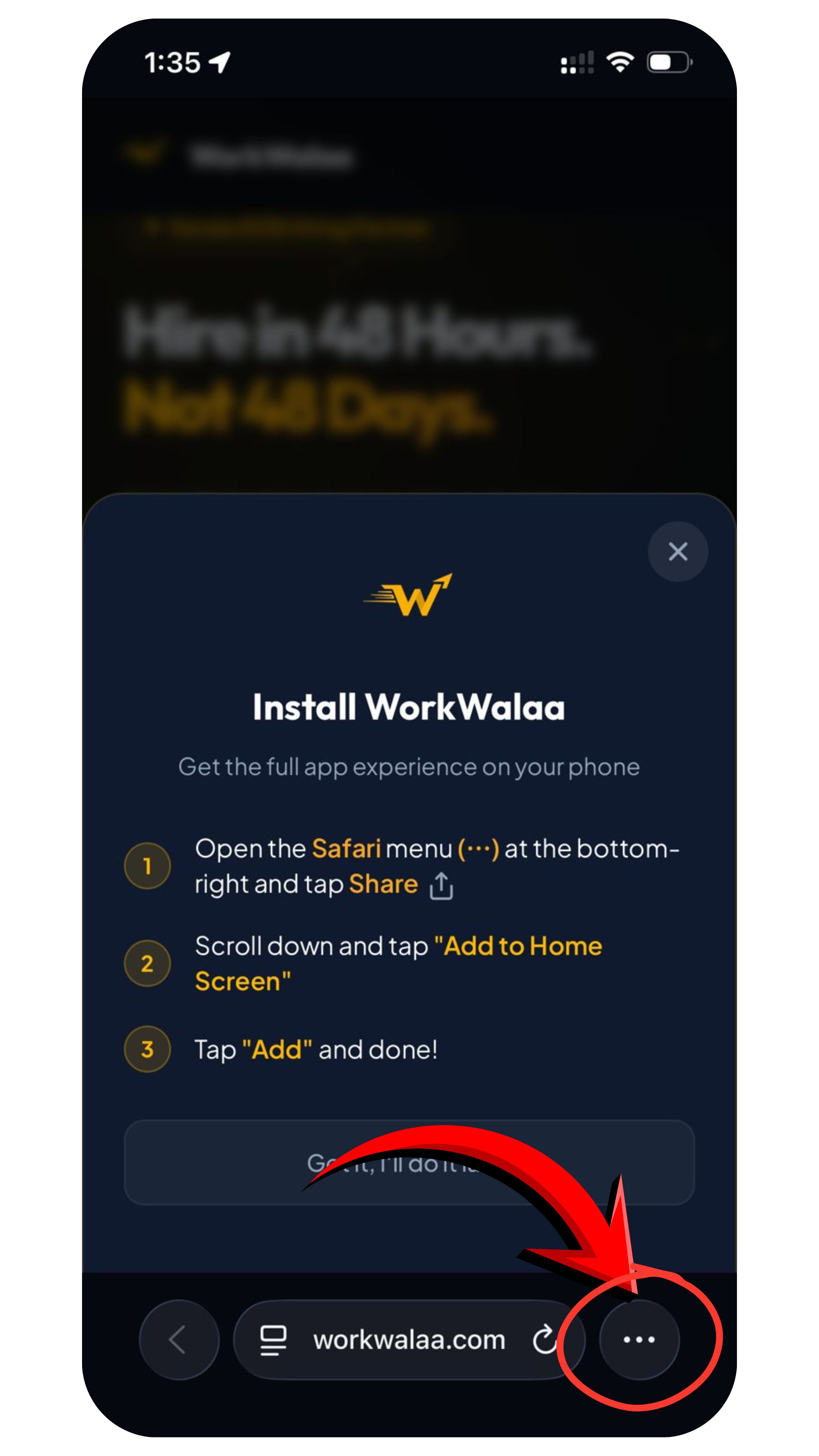
Tap the yellow Download App button
A popup appears: "Install WorkWalaa. Get the full app experience on your phone."Download App button and install popup
3
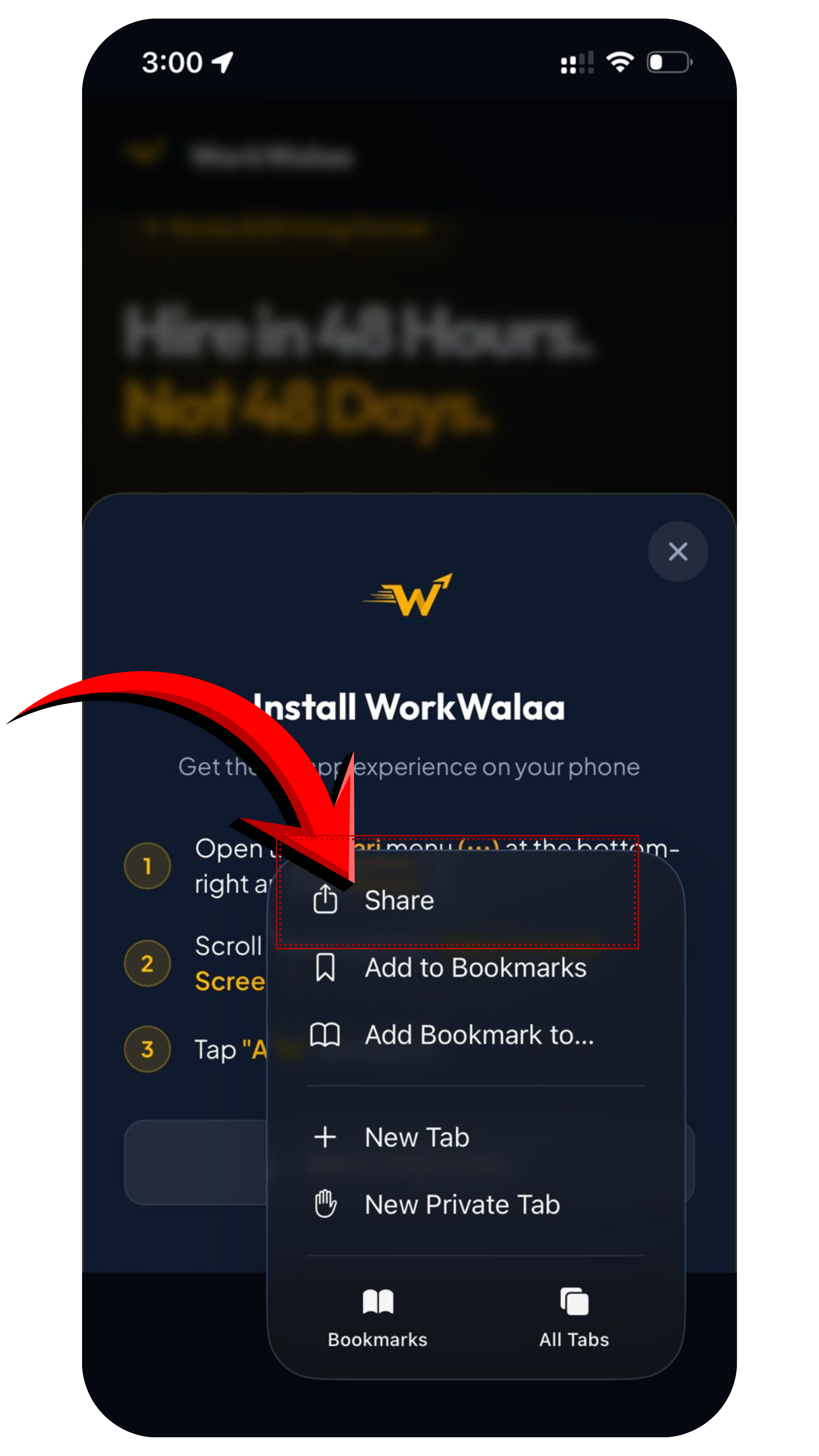
Open the Safari Share menu
Tap the three dots at the bottom right of Safari, then tap the Share icon.Safari Share menu
4
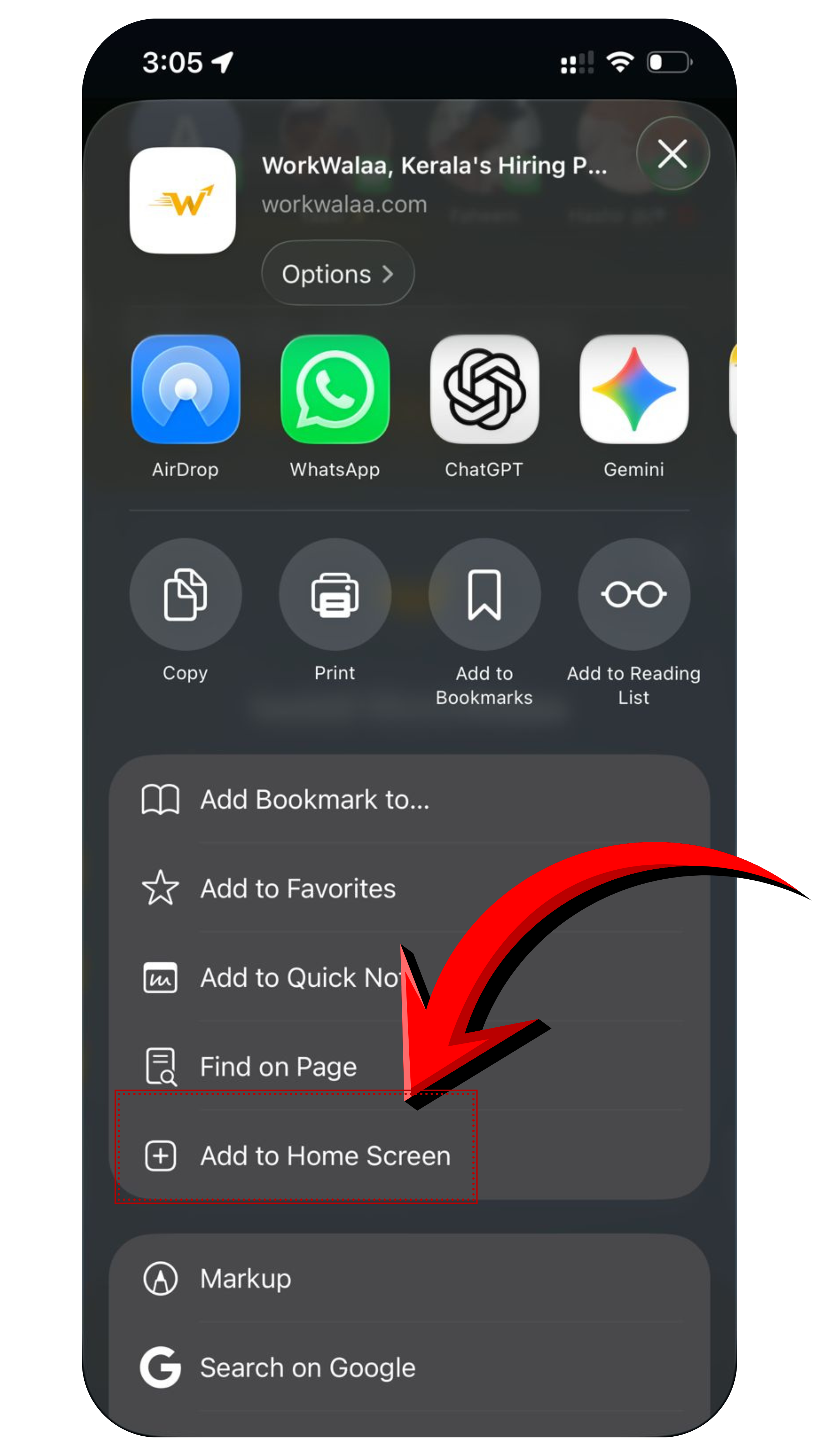
Tap Add to Home Screen
Scroll down the Share sheetuntil you see Add to Home Screen. Tap it. A preview appears with the WorkWalaa icon and the "Open as Web App" option on.Tap Add to Home Screen in the Share sheet
5
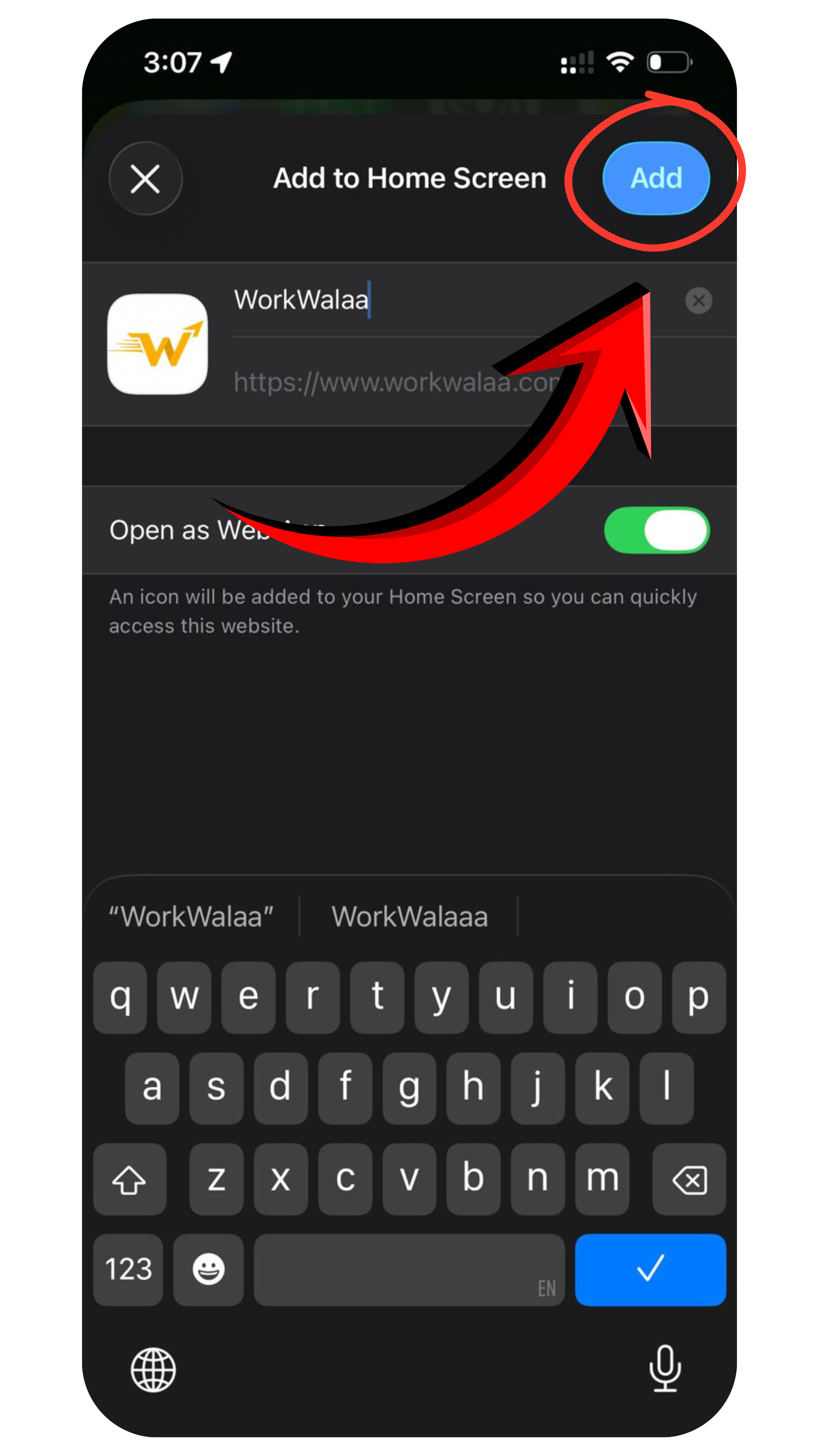
Tap Add
Tap Add in the top right corner.Tap Add to finish
Done. WorkWalaa is now on your home screen. It always loads the latest version automatically.
Troubleshooting
The popup did not appear+
Tap the Share icon in Safari, scroll down, tap Add to Home Screen, then tap Add. Same result.
I am on Chrome on iPhone+
Switch to Safari. Chrome on iOS cannot install web apps to the home screen.
Need more help? WhatsApp us at +91 81568 01024 · Mon to Sat, 10 AM to 7 PM IST.