Post a vacancy in under 2 minutes. Matching starts the moment you publish.
Steps
1
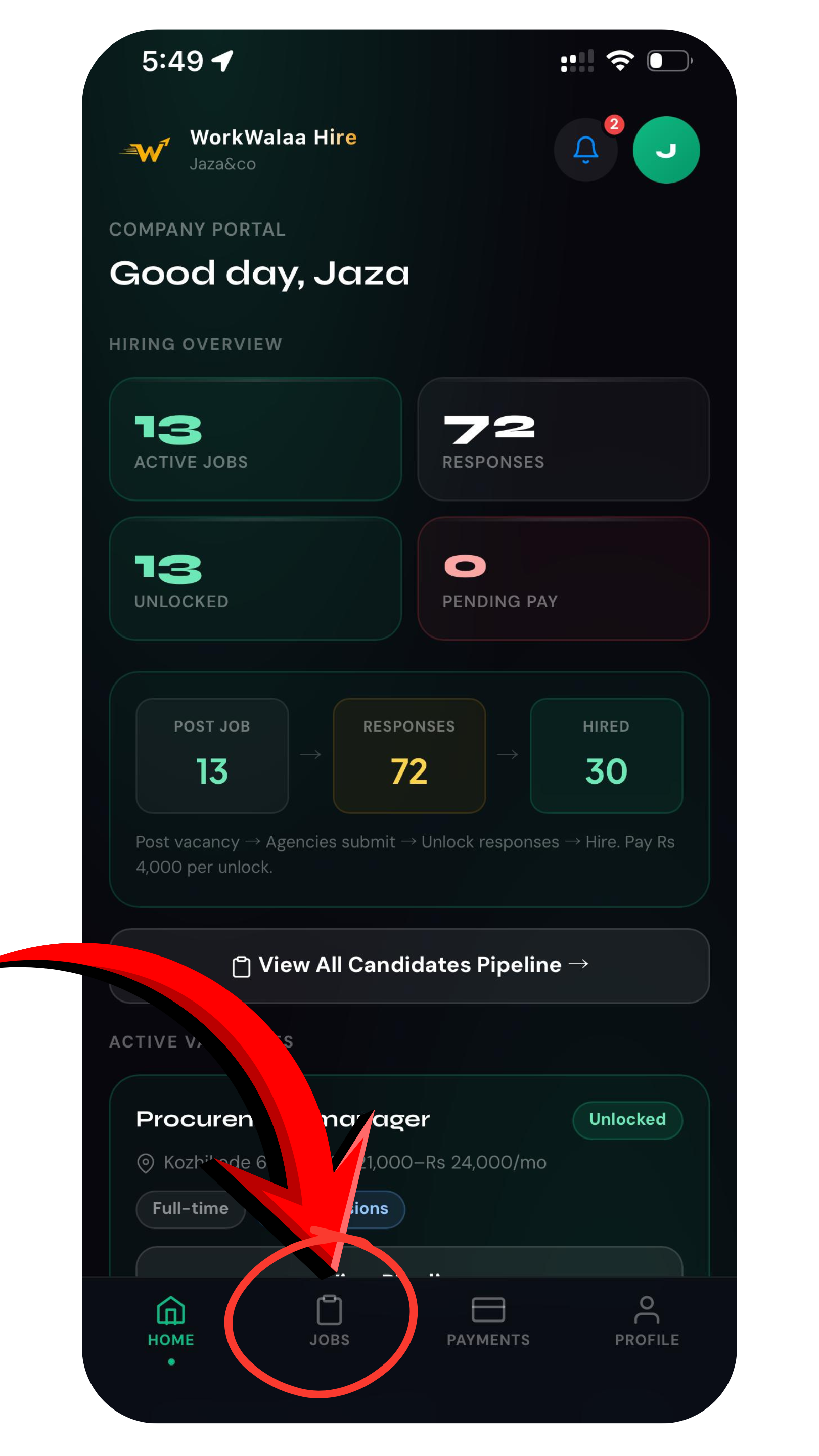
Open the JOBS tab
On your company dashboard, tap the JOBS tab at the bottom.Open the JOBS tab on your dashboard
2
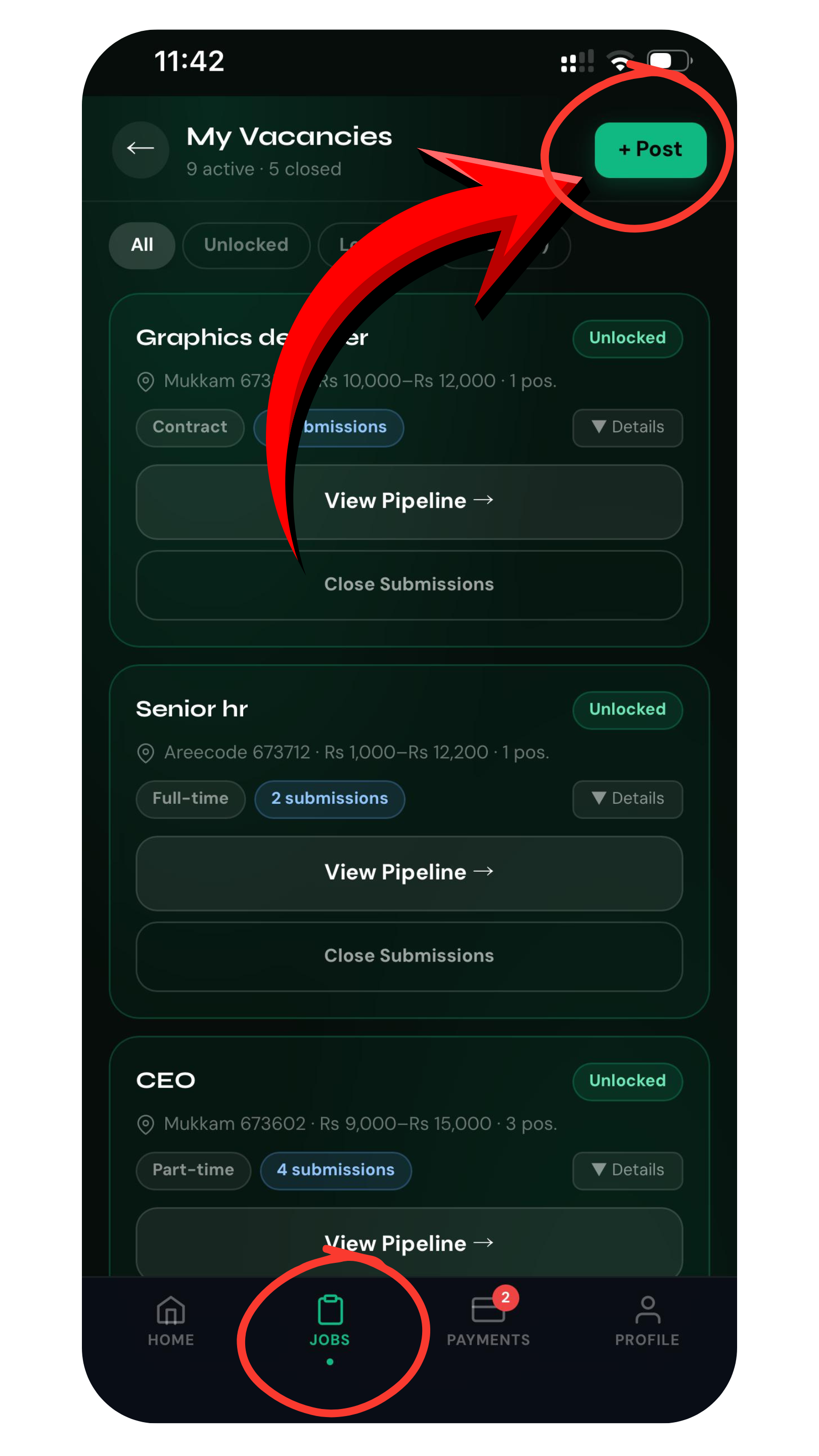
Tap + Post
On the My Vacancies screen, tap the + Post button in the top right.Tap + Post to create a vacancy
3
Fill in the details and Publish
Add the job title, location, salary range, experience required, and a short description, then tap Publish. It takes under 2 minutes, costs nothing, and goes live instantly to the hiring partner network.
What happens next: Hiring partners are notified immediately. Matched candidates appear under Review Candidates within hours.
Troubleshooting
Can I edit or close a job after publishing?+
Yes. Open the job from your dashboard and tap Edit job (available within 1 hour of posting) or Close anytime.
Is posting really free?+
Yes. Posting a vacancy and reviewing matched candidates is completely free. You only pay to unlock the candidates you want to contact.
Need more help? WhatsApp us at +91 81568 01024 · Mon to Sat, 10 AM to 7 PM IST.