For hiring partners. Find a matching vacancy, submit your candidate, and earn a payout for every confirmed joining.
Steps
1
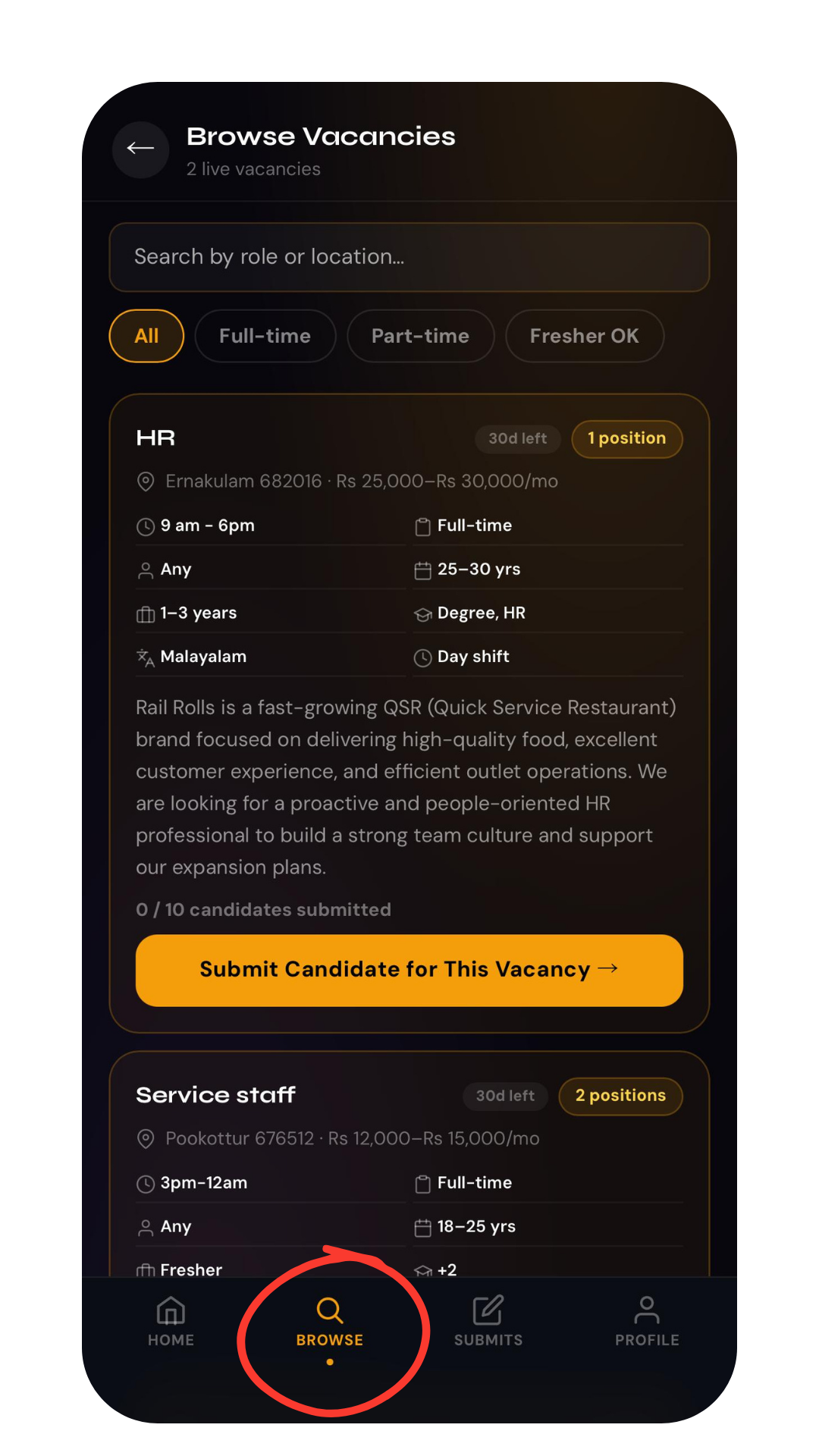
Open a vacancy from Browse Jobs
On your hiring partner dashboard, open Browse Jobsand tap a vacancy that matches your candidate's role, experience, and location.Browse Jobs list
2
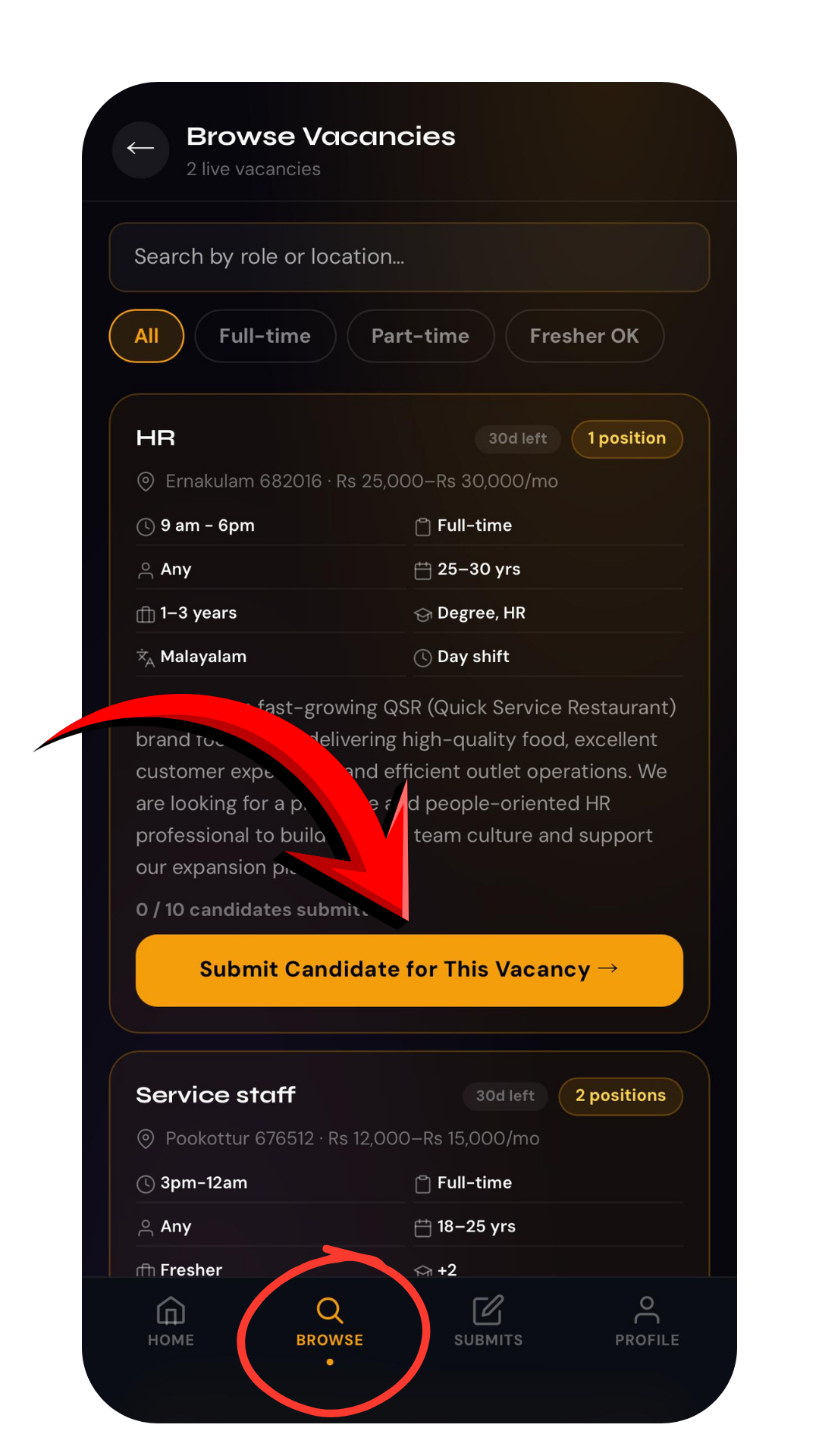
Tap Submit Candidate
Open the vacancy and tap Submit Candidate to start the submission form.Submit Candidate button on a vacancy
3
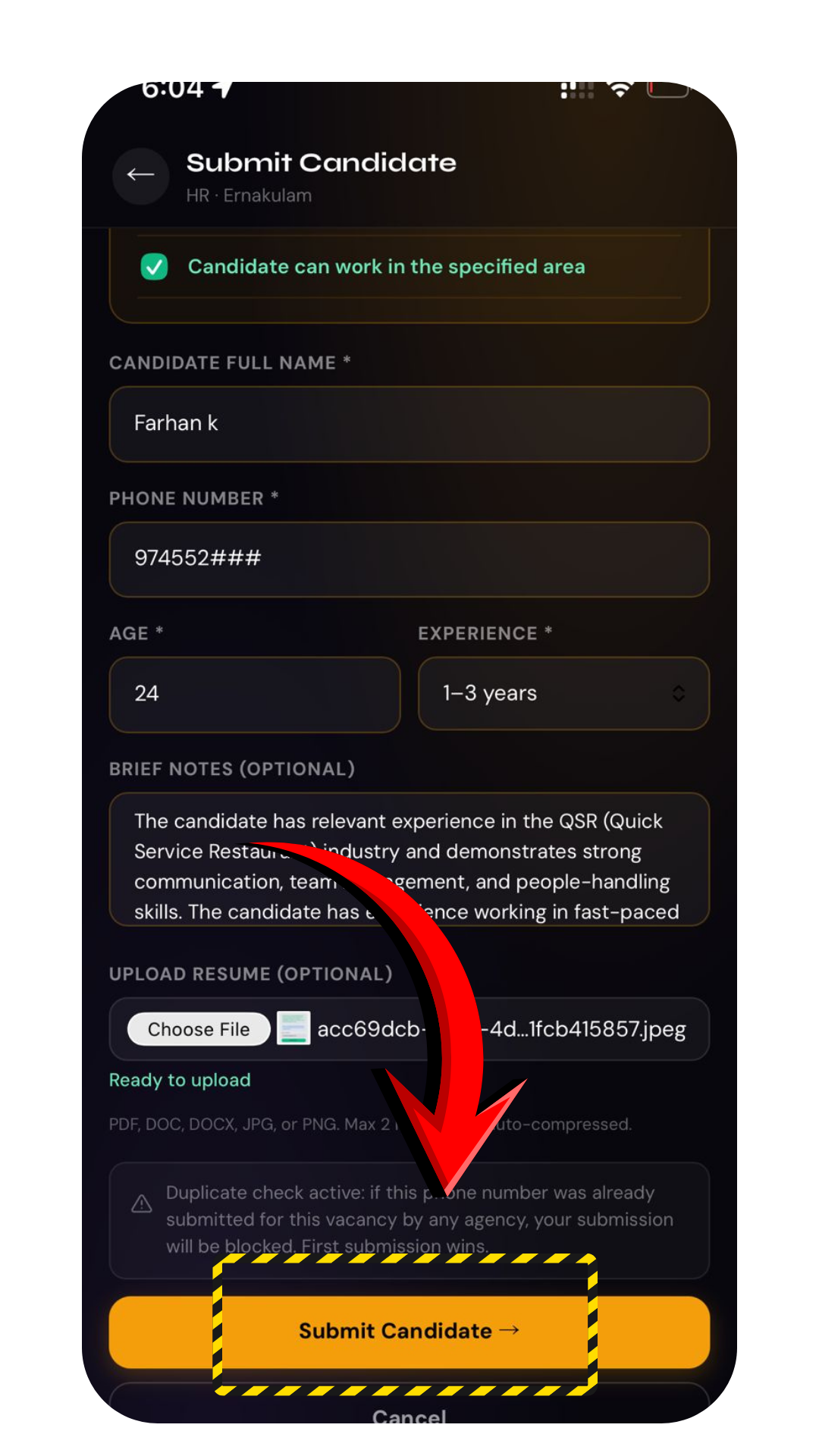
Fill in the candidate details
Enter the candidate's name, phone number, age, experience, and a short note on why they fit. Then upload their resume.Candidate submission form
4
Confirm the quality checklist
Tick the quality gate to confirm the candidate matches the role, experience, and location. This keeps your quality score high.
Only submit genuine, matched candidates. Mismatched or spam submissions lower your score and can pause your account.
5
Submit
Tap Submit. The candidate goes straight to the company's review pipeline.
Done. When the company selects your candidate and the joining is confirmed, you earn your payout, released within about 7 days.
Troubleshooting
How many candidates can I submit per vacancy?+
Up to 10 candidates per vacancy. Submit your strongest matches — quality matters more than quantity for your score.
What resume formats are accepted?+
PDF, DOC, DOCX, JPG, or PNG, up to the size limit shown on the form. Make sure the file is clear and readable.
What if the resume file size is too large?+
Compress it first, then re-upload. Search online for a free "reduce PDF size" or "compress to 1 MB" tool, use it to bring the resume under the size limit, and submit the candidate again with the smaller file.
When do I get paid?+
You earn a payout for every confirmed joining. The payout is released after the candidate completes 7 days from their joining date, along with a unique reference ID you can track.
Need more help? WhatsApp us at +91 81568 01024 · Mon to Sat, 10 AM to 7 PM IST.